


*In honor of Mental Health Awareness Month (the month of May), the following blog post explains how you can better protect your mental well-being and your personal safety while using social media.
Social media has become one of the most widespread forms of communication, especially for younger generations who have grown up not just with computers but also with newer devices like smartphones. However, the ease through which social media allows us to connect with others also means it can be hard not to expose ourselves to potential harassment and/or abuse. This can be especially dangerous for domestic violence survivors who are trying to conceal their whereabouts from their abuser.
Whether you’re a domestic violence survivor or simply someone who wants to be more cautious about the information you’re sharing with the wider world, the below tips can help you protect yourself while using social media services like Facebook, Twitter, Instagram, TikTok, and more.
Avoid Sharing Personal Information
This can admittedly be hard considering social media sites typically require you to make an account if you want to post or share, but a good rule of thumb is to only give as much information as is required. For most sites, this will just be an email address and a password. There might be optional account fields to include stuff like your date of birth or the city you live in, but it’s usually best to leave those fields blank.
If you’re a domestic violence survivor, you can also take extra precautions such as making a new email address specifically for the social media account you’re creating. You can also use a more generalized or abstract image for your profile picture if you don’t want other users to know what you look like. Lastly, for your account name, try to avoid using names that might help other users identify who you are (again, you can go with something more abstract, like your favorite food or animal followed by a series of numbers).

Mute Specific Words and/or Phrases
Once you’ve created your account on the social media site of your choice, you can head over to the settings page (this might be listed as ‘Account Settings’ or ‘Profile Settings’ depending on the specific social media site you’re using) to configure the kinds of content you can and can’t see. Many social media sites display a “feed” of information (usually a series of posts from other users you’re following or who share your interests), and you can curate what appears in that feed.
If there are specific words or phrases associated with content you don’t want to see (such as “domestic violence” or “harm” or “trauma”), you can mute those words and phrases to filter out any posts which contain them. You can also tweak more generalized settings relating to the types of sensitive content you see (or whether you see any at all).
Unfollow and/or Block Unsafe Accounts
Even after you’ve configured your content preferences, you might still come across specific user accounts that are sharing content you don’t want to see or that you find triggering. Again, depending on which specific social media site you’re on, you can take certain actions to maintain your peace of mind.
Most platforms allow you to mute or unfollow specific accounts so that their content no longer appears in your feed. If an account is trying to make unwanted contact with you specifically (most often via direct messages or “DM’s”), you can block that account to both mute it and prevent it from messaging you.
Be Mindful of the Content You Share
The “social” in social media is an important distinction to understand when you choose to start using these sites and services. Again, the type of content you share (text, images, videos, etc.) and the manner in which you share it varies from service to service, but in most cases there are two major avenues: public content and private content.
Public content is what you see in your feed whenever you bring up your social media service of choice. Other users sharing their thoughts, posting links or GIFs or other media, and even sharing posts from other users (sometimes referred to as re-posting). Private content is basically the direct messages referenced above. Many social media sites allow one user to send a direct message to another (usually the two users need to have already connected on the service before DM’s can be sent, but not always).
When you first join a social media site, it can be helpful to take a few moments and learn how to both post publicly and how to send direct messages. Most of the major sites even allow one user to “tag” another as a way to draw their attention to a public-facing post. As a general safety rule, you should avoid sharing personal information on social media as much as possible. However, if you ever do need to send something you don’t want the public to see, make sure you’re following the proper steps and not accidently broadcasting it to all of your followers.
Remember to Take Breaks
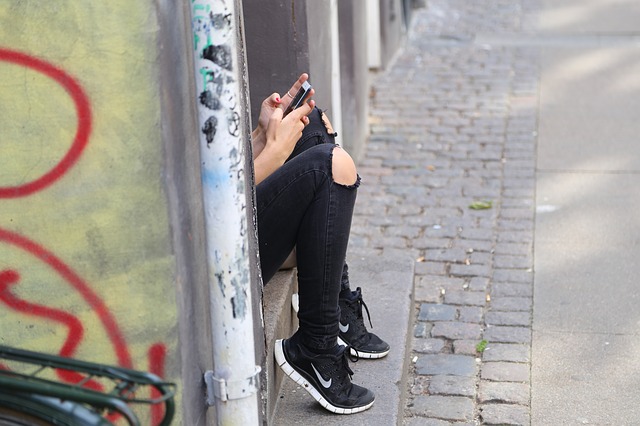
You’ve likely heard the term “doomscrolling” before, referencing the negative spiral of just constant scrolling through your social media feed and subjecting yourself to emotionally draining content. Hopefully, if you took the time to configure the content you see by muting/blocking certain words and accounts, your risk of finding yourself in a doomscrolling situation will be quite low. But sometimes we find ourselves doomscrolling not through any active intention on our part but simply because that’s what the feed shows us.
Don’t be afraid to put your phone down and take breaks when needed. Even if you have a personal connection to the content you’re seeing, you’re not required to witness something just to prove you care. Take some time to reset, maybe go for a walk or watch a comforting movie or show, give your brain time to recharge if you find your social media habits to be a bit too draining. Your mind and your body will both thank you in the long run.
Additional Resources
If you want to learn more about technology abuse and how you can protect yourself in an increasingly technology-dependent world, be sure to consult the resources listed below. You can also call REACH’s free and confidential hotline at 800-899-4000.
